
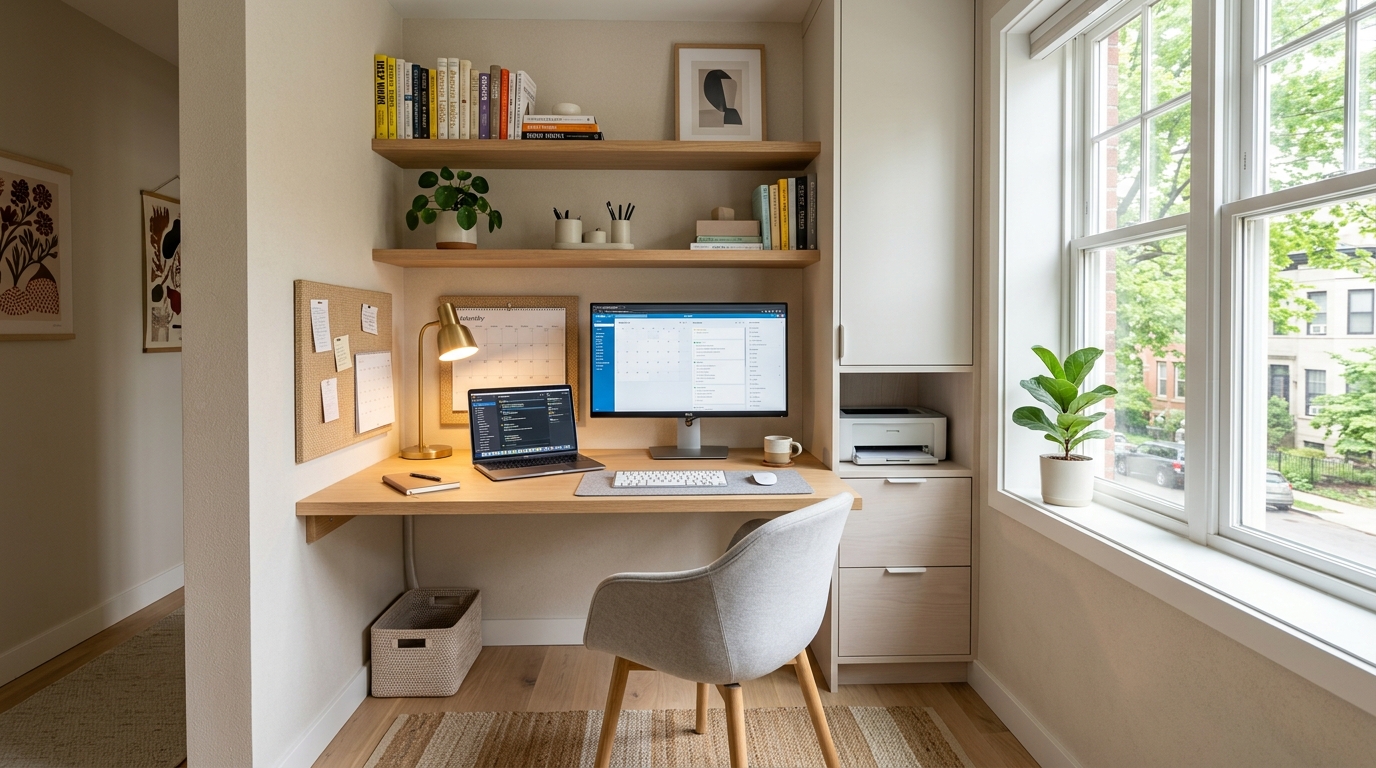
Working from home in a small space is not a setup problem. It is a boundary problem. When the desk is in the bedroom corner, the living room, or a converted closet, the line between work and the rest of life blurs in both directions. The office invades the home and the home invades the office, and neither functions as well as it should.
These home office ideas for small spaces focus on desk setups that actually fit a tight footprint, cable management systems that keep the workspace functional and clear, and office lighting that makes working for hours at a stretch genuinely comfortable. No organization advice that belongs to other articles, no bedroom decor crossover. Just the small home office, set up to work as a real workspace regardless of how little room it has to operate in.
You will find 17 ideas here, each one a distinct approach to a specific home office challenge in a small space. Some require a single afternoon. Some require nothing more than rethinking what is already there. All of them make the space easier to work in every day.
1. Choose a Wall-Mounted Desk Over a Freestanding One
A wall-mounted desk takes up the footprint of the wall surface it occupies and nothing more. No legs projecting into the room, no bulky base consuming floor space on the sides, no visual mass blocking the lower half of the wall. In a small space where every square foot of floor matters, a wall-mounted desk is almost always the right starting point.
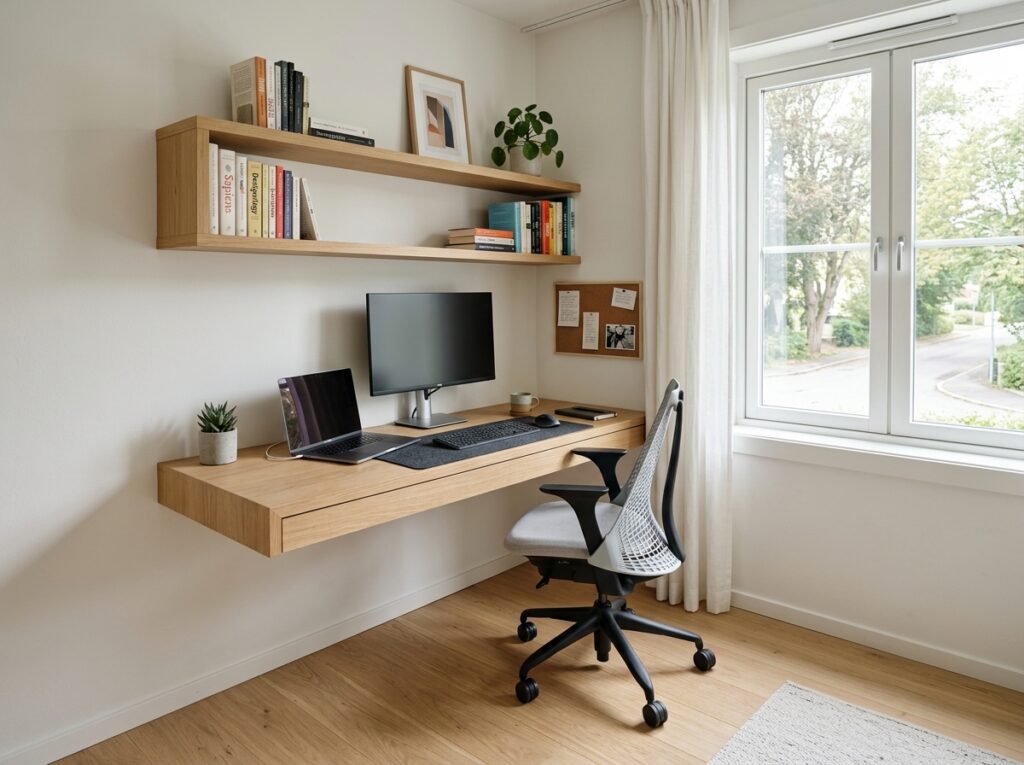
The Prepac Wall-Mounted Floating Desk with Storage gives you a 48-inch work surface, a small cabinet, and open shelving above in a package that mounts directly into wall studs and holds a monitor, a laptop, and the daily tools of a working desk without any floor commitment at all. For a simpler option, the Wayfair Foundry Modern Farmhouse Floating Desk at 40 inches wide delivers a clean, minimal surface at a price point that makes it easy to commit to. Mount the desk at the correct ergonomic height for the chair being used: 28 to 30 inches from the floor for standard seating, 42 to 46 inches for a standing desk setup.
2. Home Office Ideas for Small Spaces Start with the Right Desk Dimensions
Most people choose a desk based on what looks proportional in the room rather than what the actual work requires, and those are often very different calculations. A desk that is too shallow forces the monitor too close to the eye. A desk that is too narrow makes two-screen setups impossible and limits the usable surface to the area directly in front of the keyboard. Getting the dimensions right before buying anything saves significant reorganization later.
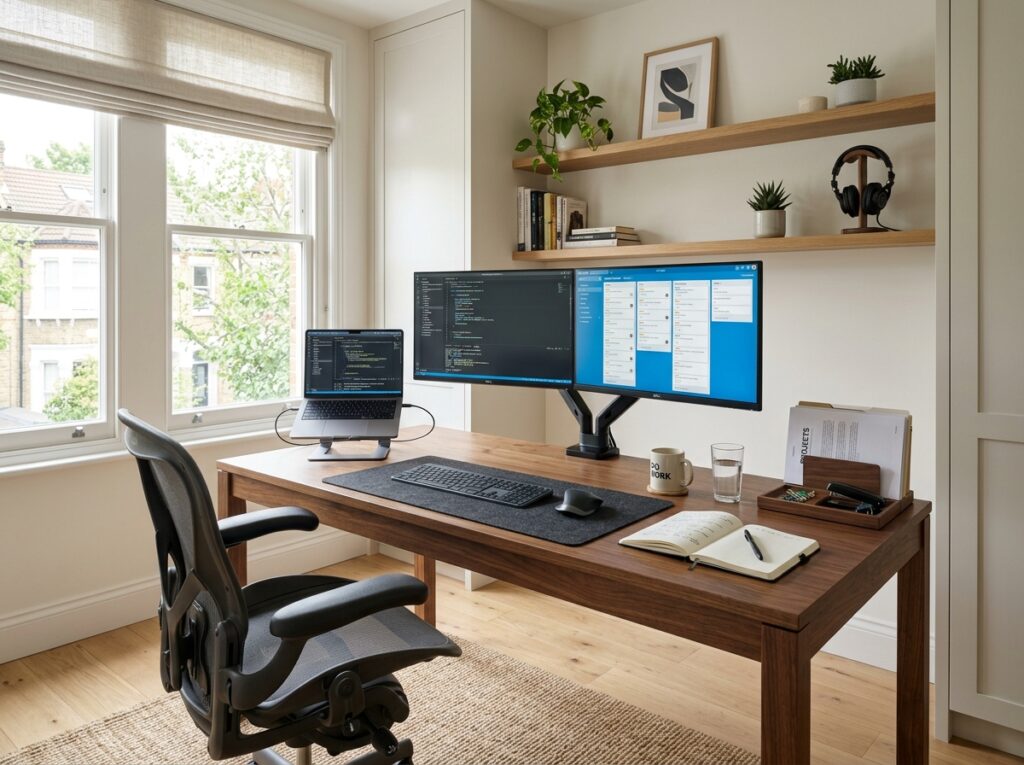
For a single-monitor desk setup, 48 inches wide and 24 inches deep is the practical minimum that gives comfortable working clearance. For a dual-monitor setup, 60 inches wide is the functional minimum. For a desk where documents, notebooks, and reference materials need to sit alongside the computer, 24 inches of depth is tight and 30 inches works more comfortably. Write those numbers down before looking at any desk. The physical dimensions govern usability in a way that the appearance of a desk in a showroom or a product photo does not.
3. Set Up a Cloffice in an Unused Closet
A closet converted to a home office, commonly called a cloffice, is one of the most space-efficient small home office configurations available because it uses a space that already exists in the home without taking over any living area. The closet doors close at the end of the workday and the office disappears from the room completely, which is the clearest physical boundary between work and home that a small space can offer.
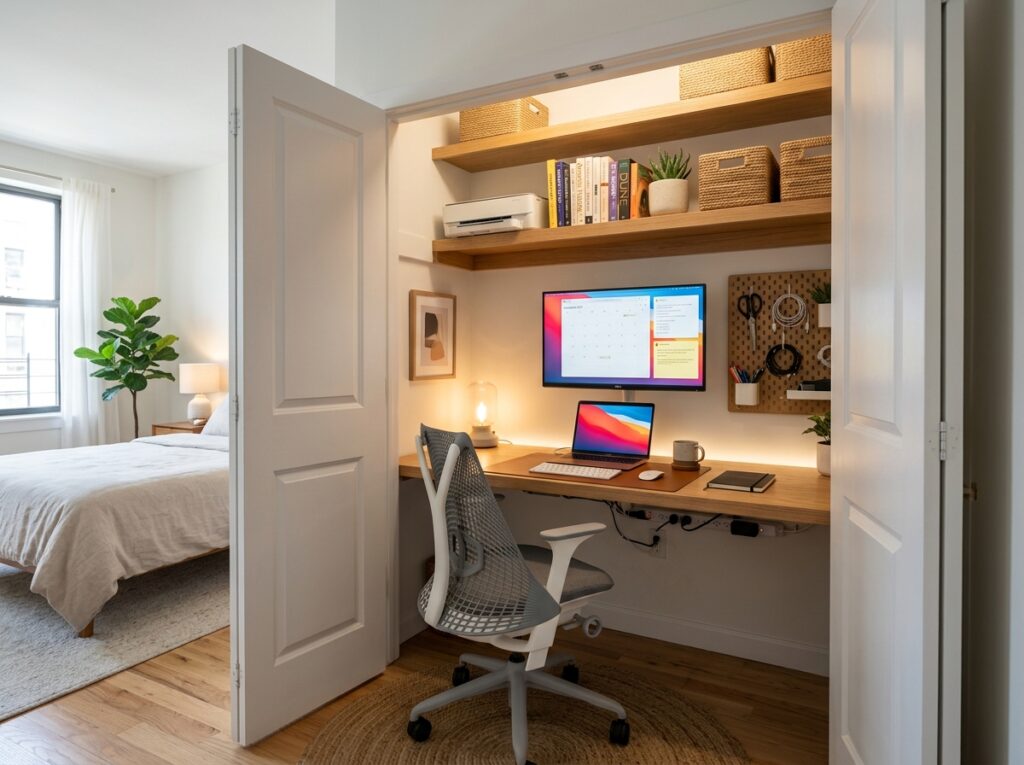
Remove the closet rod and shelves, patch the walls if needed, and install a floating desk surface at the correct height across the full width of the closet interior. The closet depth of most standard reach-in closets, typically 24 to 28 inches, provides exactly the right desk depth for a comfortable seated workspace. Add a floating shelf above the desk for a monitor riser, a small printer, and storage. The Target Threshold Studio McGee Floating Shelf at 48 inches fits most standard closet widths and mounts cleanly into the closet side walls or back wall studs.
4. Use a Corner Desk to Maximize Two Wall Surfaces
A corner desk uses the one section of a room that typically sits empty and unused: the corner. By spanning two walls at 90 degrees, a corner desk provides significantly more work surface than a straight desk of the same footprint while consuming only the corner area that was already wasted. In a small home office or a bedroom office setup, the corner desk is often the configuration that makes everything else possible.
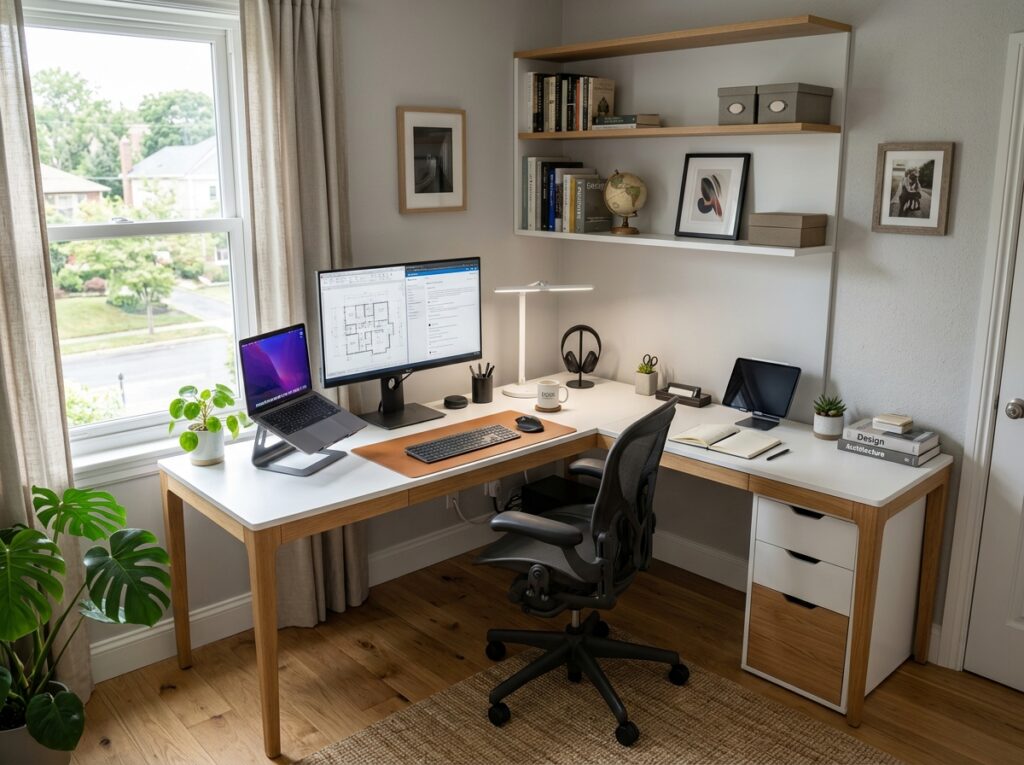
The Sauder Harbor View Corner Desk in a light finish gives a generous L-shaped surface at an accessible price and requires no assembly skills beyond basic furniture building. The Bush Furniture Cabot L-Shaped Corner Desk in white provides a more polished, built-in look with integrated storage on both sides of the corner configuration. Choose a desk with a return depth of at least 20 inches on the shorter side so both sections of the L are genuinely usable for work rather than just display.
5. Manage All Cables Before They Manage You
Cable chaos on a small home office desk makes the workspace feel disorganized and smaller than it is because the eye reads tangled cables as clutter even when the desk surface itself is clear. Cable management done properly takes one afternoon and the results last indefinitely with minimal maintenance.
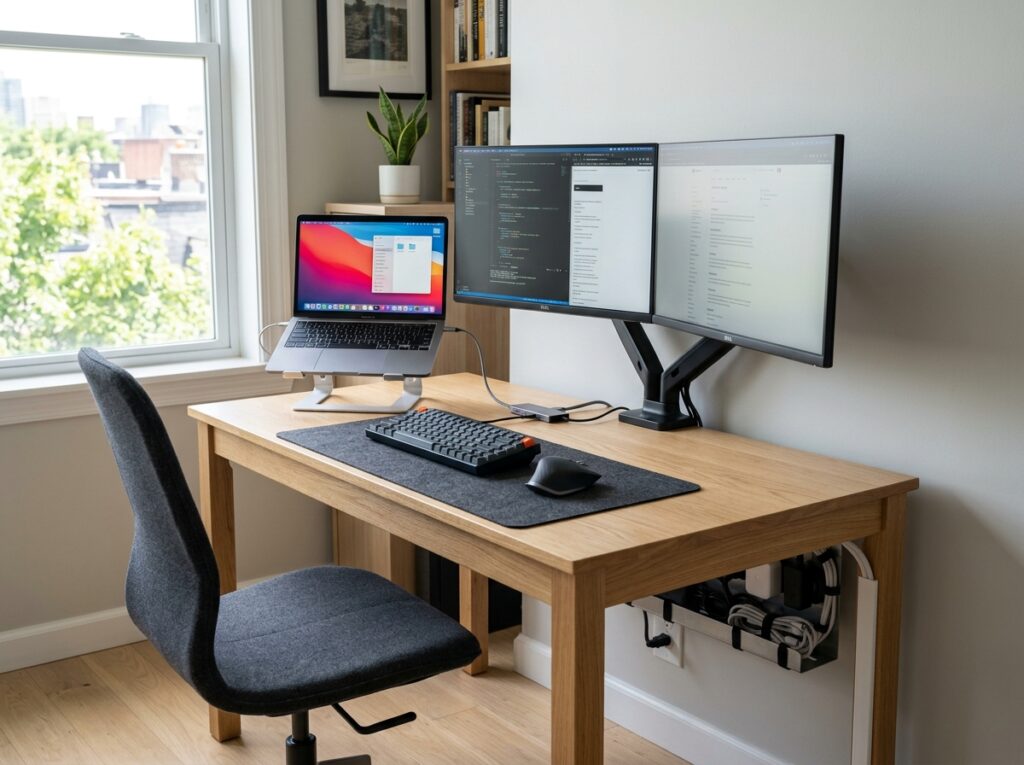
Start under the desk with a cable management tray mounted to the underside of the desk surface. The J Channel Cable Raceway from Monoprice or the D-Line Cable Management Kit stick directly to the underside of the desk with adhesive and route all power cables, monitor cables, and peripheral cables in a contained channel away from the floor. Secure the tray to the desk with cable ties spaced every 12 inches rather than letting cables hang loosely. On the desk surface, use the Anker USB-C Hub to consolidate multiple peripherals into a single cable connection to the laptop, which reduces the visible cable count from six or seven down to one or two.
6. Home Office Ideas for Small Spaces Include a Monitor Arm Instead of a Stand
A monitor on a standard stand occupies a footprint of 8 to 10 inches of desk depth at the back of the work surface and cannot be adjusted for height or angle without physically moving the stand. A monitor arm mounted to the desk edge holds the screen at any height, angle, or depth, moves out of the way completely when not in use, and frees the entire back section of the desk surface for documents, a second keyboard, or simply clear working room.

The Ergotron LX Desk Mount Monitor Arm is the most widely recommended option in the professional category for a reason: it adjusts smoothly with one hand, holds its position reliably, and accommodates screens from 22 to 34 inches. The Amazon Basics Single Monitor Stand Arm delivers the same mechanical quality at about half the price and suits most standard home office monitors between 22 and 27 inches. Clamp the arm to the back edge of the desk and route the monitor cable through the arm channel so no cable runs across the desk surface.
7. Install Dedicated Office Lighting That Is Not the Room’s Overhead Fixture
The overhead ceiling light in a small home office produces flat, undifferentiated light that creates screen glare, causes eyestrain during extended work sessions, and does nothing to separate the workspace visually from the rest of the room it is in. Dedicated office lighting, meaning light positioned specifically for the work surface and adjusted for the task, makes a meaningful difference to both comfort and productivity over the course of a full working day.
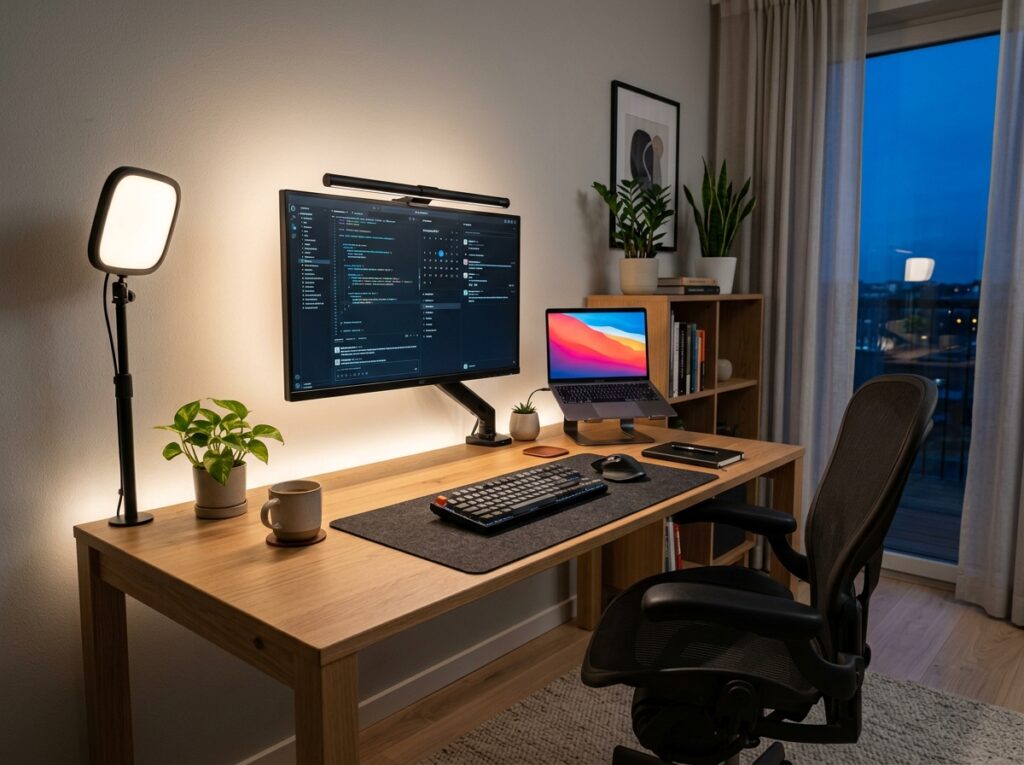
A monitor bias light, which is a low-brightness LED strip attached to the back of the monitor screen, reduces the contrast between the bright screen and the darker room around it and measurably reduces eyestrain. The Elgato Key Light Air is the industry standard for desk lighting that illuminates the face evenly for video calls while also serving as a primary desk light. For document and keyboard lighting, the BenQ ScreenBar Plus mounts on the top edge of the monitor and directs light downward onto the desk surface without creating any glare on the screen itself.
8. Use Vertical Wall Space for Storage Instead of the Desk Surface
Storage on a desk surface consumes work area. Storage on the wall above the desk adds capacity without touching the surface at all. A small home office that treats the wall above the desk as the primary storage zone and the desk surface as working space only will always function better than one where the desk surface doubles as a storage shelf.
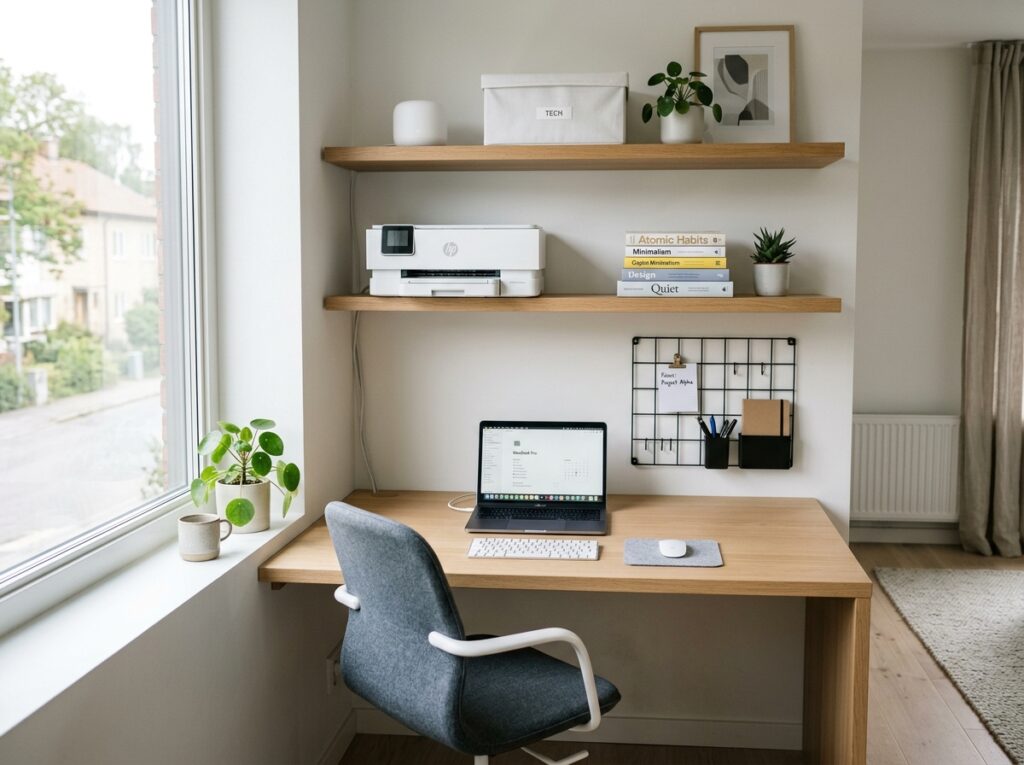
Mount two floating shelves above the desk, one at approximately 18 inches above the desk surface and one at 30 inches, and use them for everything that currently sits on the desk: printer, reference books, a small plant, a storage box for papers, and the router if its location allows. The CB2 Floating Shelf in white oak and the Pottery Barn Essential Floating Shelf in natural finish both hold real weight reliably and sit cleanly against the wall without the visible bracket hardware that makes budget shelves look improvised.
9. Choose an Ergonomic Chair That Fits the Space
An oversized executive chair in a small home office consumes floor space on all four sides and makes the space feel like the chair is the room rather than a piece of equipment in the room. A properly scaled ergonomic chair that provides the support needed for long work sessions without the bulk of a full executive design works better in a small office in every practical sense.
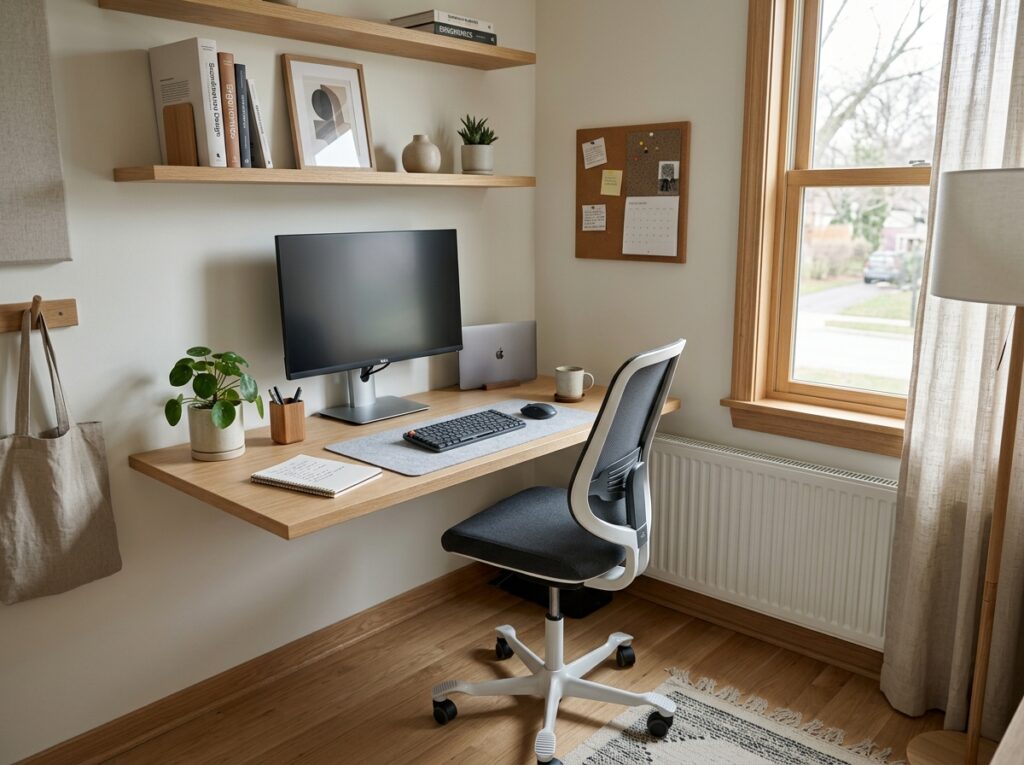
The Branch Ergonomic Chair at its fully adjusted dimensions fits into tighter office configurations than most executive chairs without sacrificing lumbar support or adjustability. The Humanscale Diffrient Smart Chair has a smaller footprint than most mid-back options and adjusts automatically to the user’s body weight without the array of levers and knobs that make other ergonomic chairs feel complicated. Both chairs support 8-hour work sessions without the discomfort that cheaper seating produces, which matters more in a small home office where the chair is used daily than in a guest office setup used occasionally.
10. Conceal the Printer in a Cabinet or on a Dedicated Shelf
A printer sitting on a desk surface takes up approximately 16 by 12 inches of prime working real estate and produces a visual clutter that no amount of organization around it fully resolves. A printer placed on a dedicated shelf above the desk or in a small cabinet beside it removes it from the primary work zone while keeping it within easy reach when it is actually needed.
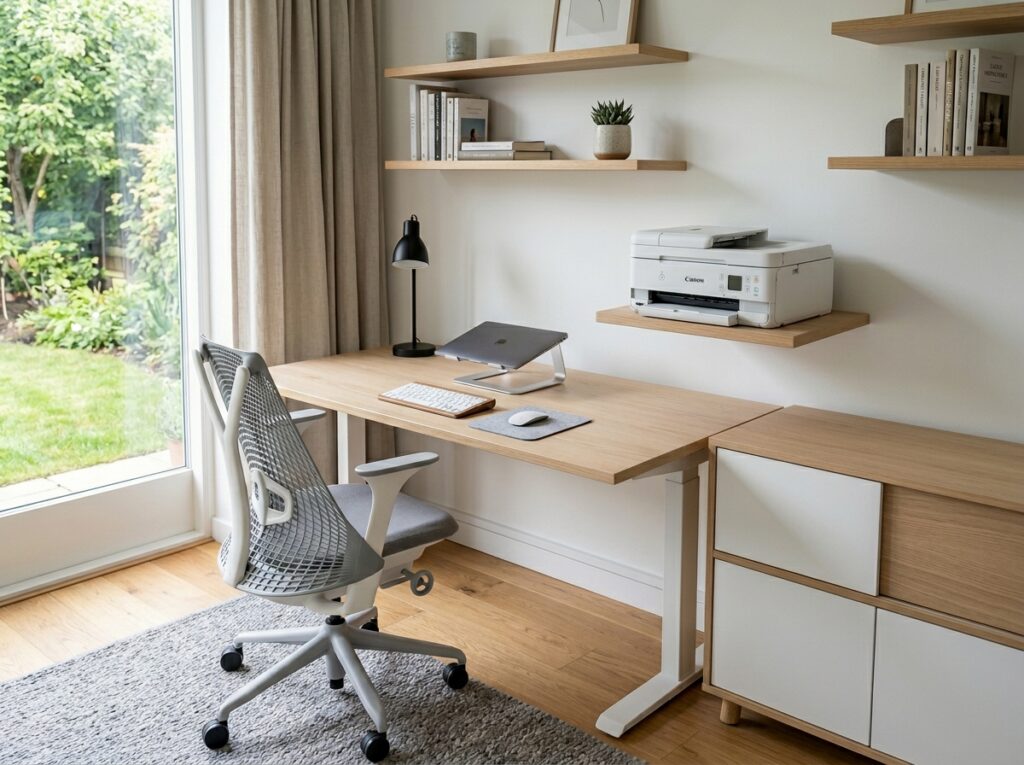
Mount a shelf at a height that allows the printer tray to open fully without obstruction, typically 8 to 10 inches above whatever sits below the shelf. The printer cable routes from the shelf down to the cable management tray under the desk and the printer disappears from the working eye line completely. For an even cleaner solution, a small two-door cabinet from Wayfair’s office collection placed beside the desk holds the printer inside with the doors closed and pulls open when printing is needed. The Sauder Square1 Storage Cabinet at 22 inches wide fits beside most desk configurations without blocking the walking path.
11. Home Office Ideas for Small Spaces Work Better with a Defined Color Palette
A home office that bleeds into the room around it because the desk, the chair, and the wall match everything else in the space never fully reads as a workplace. A defined color treatment on the wall behind the desk, even one that is subtle, creates a visual boundary that signals to the brain that this area is for work. That psychological separation matters in a small space where the visual cues of the environment influence focus and productivity throughout the day.
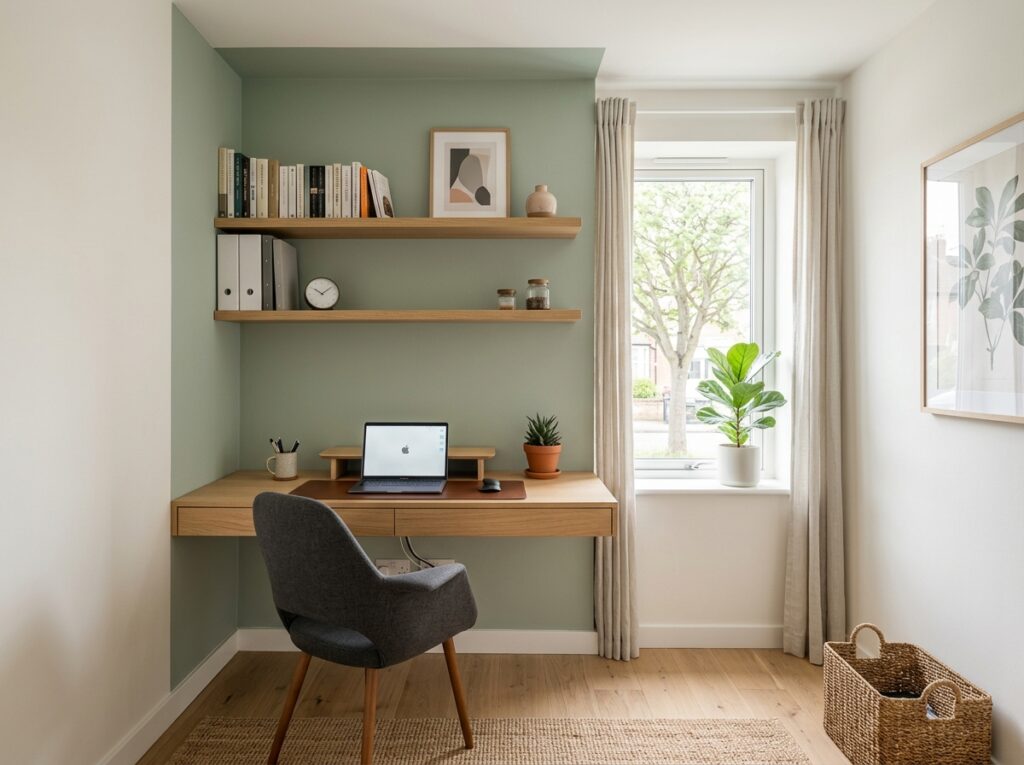
Paint the wall behind the desk in a tone two to three shades deeper than the surrounding walls. A soft sage green desk wall in a room painted warm white. A medium blue-gray behind the desk in a room with light beige walls. The contrast does not need to be dramatic. It needs to be distinct enough that the desk area reads as a defined zone from anywhere in the room. Sherwin-Williams Comfort Gray, Benjamin Moore Horizon, and Behr Morning Fog are all mid-tone options that create a clear visual boundary without making the space feel heavy.
12. Run All Cables Through a Single Cable Spine Down the Wall
Cables running from the desk to the floor and across the baseboard to the nearest outlet create a visual mess that reads as unfinished even in an otherwise well-organized small office. A cable spine, which is a flexible channel that collects all the cables running from the desk to the floor and down to the baseboard level, conceals them in a single organized column that reads as intentional rather than accumulated.
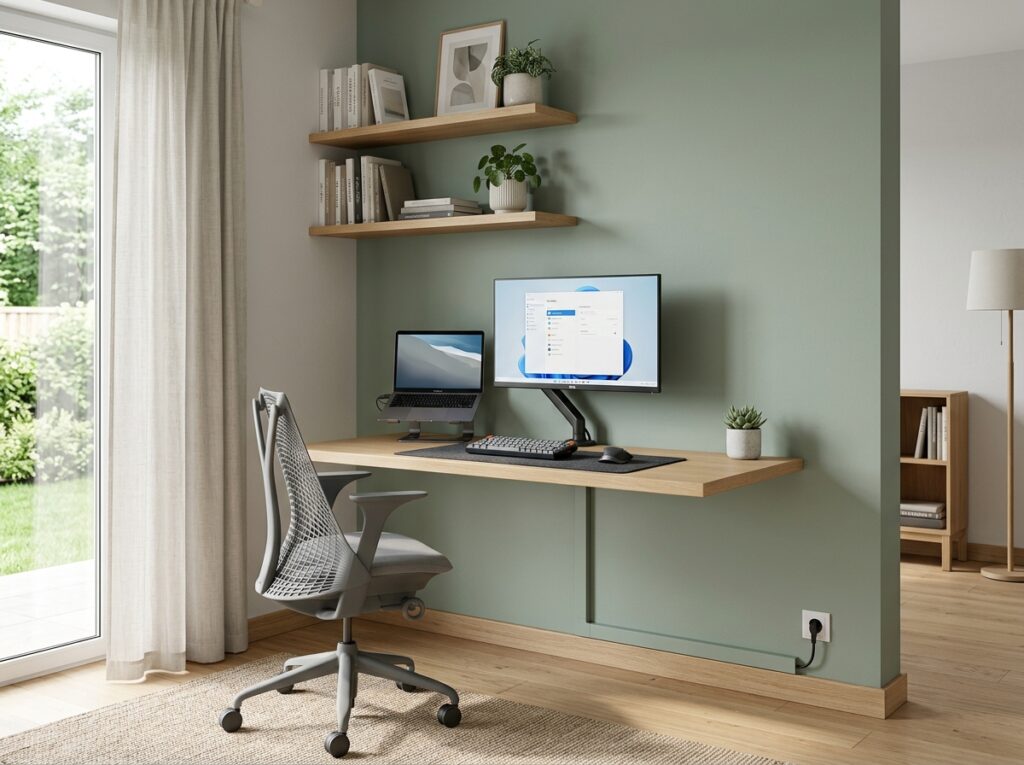
The D-Line Cable Management Raceway Kit and the Wirerun In-Wall Cable Concealer both mount directly to the wall surface with adhesive or small screws and accept multiple cables inside a channel that blends with the wall color when painted over. Run the spine from the desk surface straight down the wall behind the desk to the baseboard level, then horizontally along the baseboard to the outlet. Two pieces of raceway and one corner connector handle most standard desk-to-outlet configurations and the whole installation takes under 30 minutes.
13. Use a Laptop Stand to Create an Ergonomic Setup Without a Full Monitor
A laptop used flat on a desk surface places the screen at a height that forces the neck into a downward angle for the full length of the working day. A laptop stand raises the screen to eye level and immediately corrects the neck position, which reduces the fatigue that accumulates over hours of work in a way that no chair adjustment or desk height change can compensate for when the screen itself is too low.
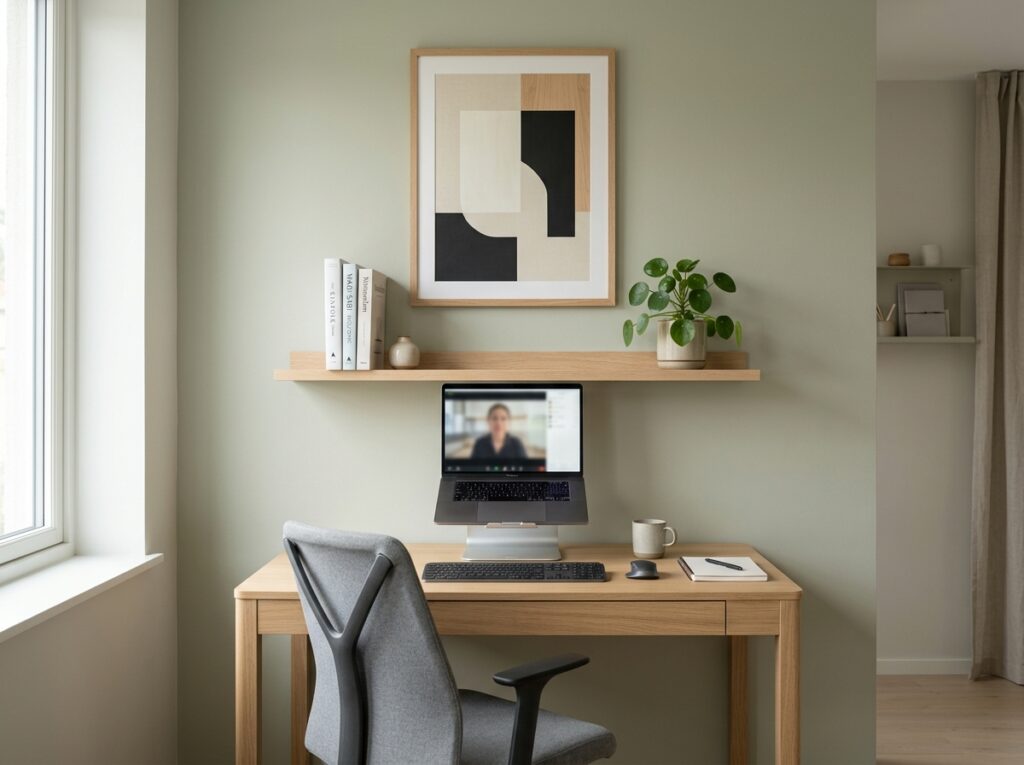
The Nexstand K2 Laptop Stand is fully collapsible and adjusts to 12 different heights, which makes it suitable for both desk use and working in different locations around a small home. The Rain Design mStand in aluminum is a fixed-height option that sits at the correct ergonomic level for most adults and adds a premium, weighted quality to the desk setup that plastic stands do not replicate. Pair either stand with a separate keyboard and mouse so the hands are at the correct position relative to the elbows once the screen is raised to eye level.
14. Set Up a Dedicated Video Call Background Behind the Desk
A small home office that is also a bedroom corner or a living room section creates an awkward video call background that communicates the lack of a dedicated workspace to every meeting participant. A dedicated background treatment on the wall behind the desk resolves this without requiring a separate room and does not need to be elaborate to be effective.
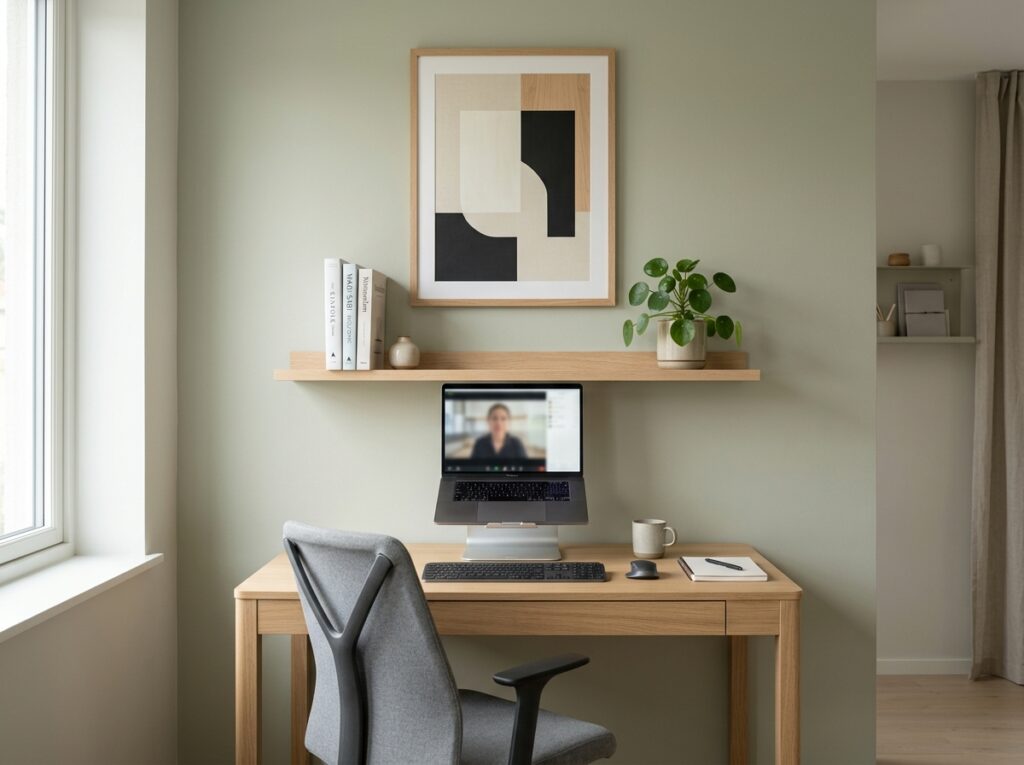
A section of wall behind the desk treated differently from the rest of the room, whether by paint color, a floating shelf arrangement with books and a plant, or a single large framed print at the correct height, creates a video call background that reads as professional and composed. Position the desk chair so the treated wall section appears centered behind the head in a standard laptop camera view. The background should occupy the full width of the camera frame and contain nothing that moves, distracts, or communicates disorganization to the people on the other side of the call.
15. Home Office Ideas for Small Spaces Need a Dedicated Inbox Tray
A desk without a dedicated physical inbox tray for incoming papers, mail, and documents defaults to using the entire desk surface as the inbox, which means the working surface is perpetually interrupted by unprocessed items that have nowhere specific to go. A single tray in a fixed location on the desk creates a boundary between the working area and the incoming area and keeps papers from spreading across the full surface between processing sessions.
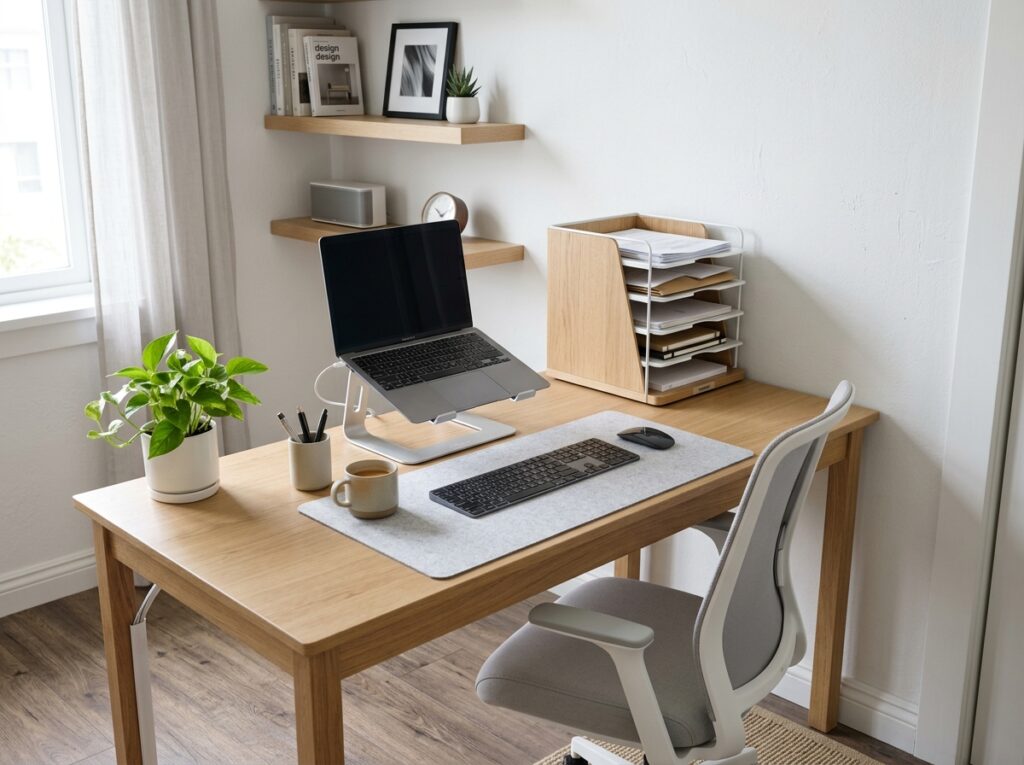
Use a vertical file sorter rather than a flat tray for a small desk because vertical sorting takes up significantly less desk footprint than flat stacking for the same volume of paper. The Blu Monaco Wood Desk Organizer and the Mindspace Stackable Paper Tray both hold a meaningful amount of incoming paper in a footprint under 4 inches deep on the desk surface. Position the tray at the corner of the desk closest to the entry point of the room so papers land there rather than on the working surface when they first arrive.
16. Add a Whiteboard or Glass Board to the Office Wall
A whiteboard or glass writing board on the office wall serves as a visible thinking surface for project tracking, meeting notes, to-do lists, and ongoing reference information that would otherwise require opening an app or searching a notebook to access. In a small home office where physical space for reference materials is limited, the wall itself becomes the most practical surface for information that needs to be visible throughout the working day.
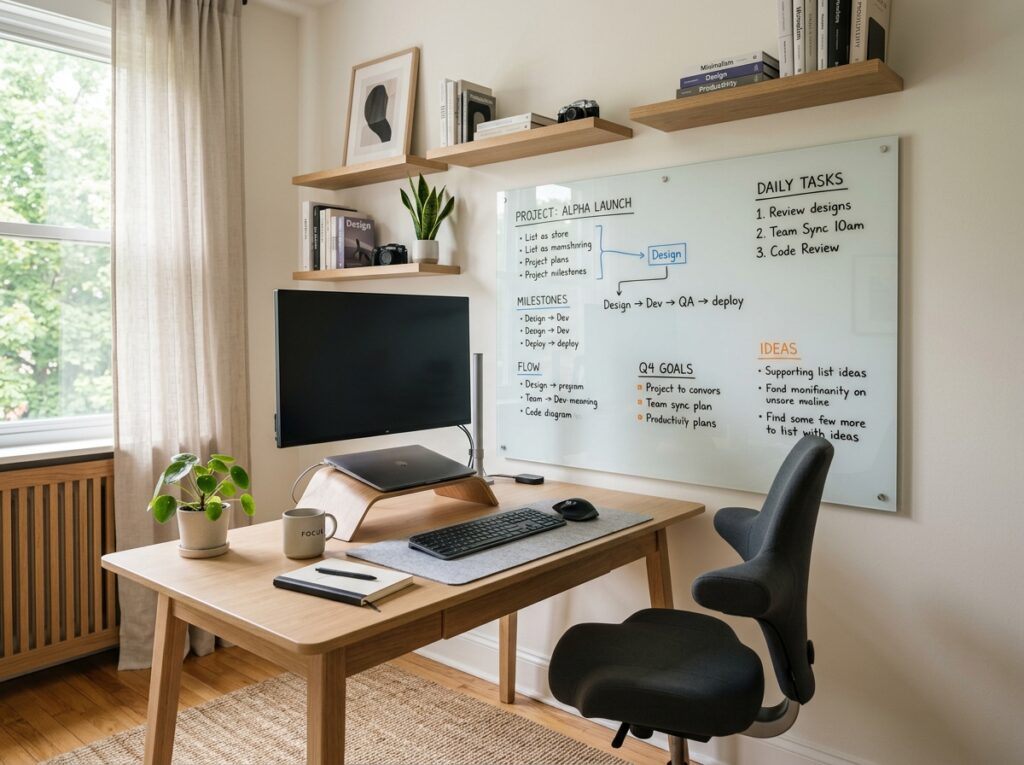
The Quartet Glass Dry-Erase Board in a 24 by 36 inch size mounts to the office wall and writes and erases cleanly with standard dry-erase markers without the ghosting that builds up on cheap whiteboard surfaces over time. The VIZ-PRO Magnetic Dry-Erase Board in white gives a more traditional whiteboard surface with magnetic capability for holding notes, cards, and printed references alongside the handwritten content. Mount either option at a height that allows writing and reading while seated without turning away from the desk.
17. Define the End of the Workday with a Physical Shutdown Routine
A small home office that never visually signals the end of the workday bleeds into the evening in a way that affects both rest and the next morning’s productivity. A physical shutdown routine that closes the laptop, clears the desk to its starting position, and puts away the day’s work materials takes about three minutes and creates the psychological transition from work to home that larger physical separation between office and home normally provides automatically.
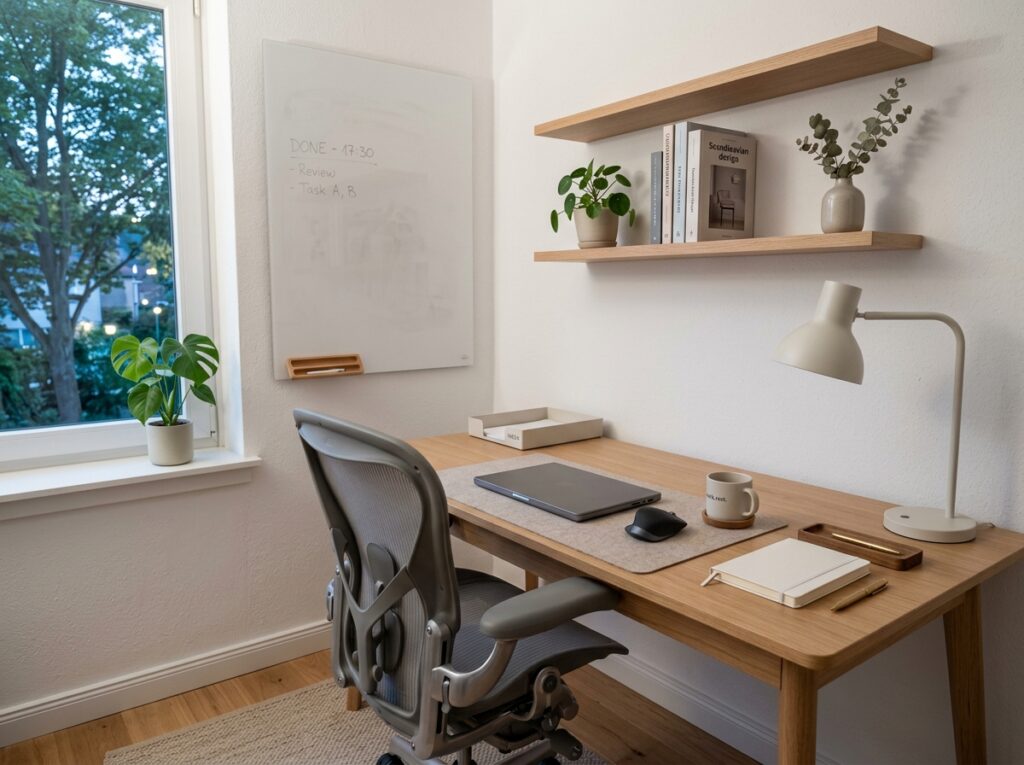
Set a recurring reminder at the end of the workday to close every application, clear the inbox tray of anything that was processed during the day, return any reference materials to their shelf, and close the laptop lid. If the home office is in a closet, close the doors. If it is in a corner, turn off the desk lamp. The physical act of ending the day at the desk is what allows the small space to function as something other than a workspace for the hours between that moment and the next morning.
Final Thoughts
A small home office works when the desk setup is correct, the cables are contained, the lighting suits the task, and the space has enough visual definition to function as a workplace rather than as a corner of the room where the computer happens to live. None of that requires significant square footage. It requires specific decisions made in the right order.
Start with the desk because everything else positions itself around it. Get the dimensions right, get it mounted or placed where the light works, and the rest of these home office ideas for small spaces layer onto that foundation naturally. The goal is a workspace that is genuinely ready to work in every morning and genuinely finished for the day every evening, regardless of how small the room it occupies actually is.